
- Original TTR manufacturer since 2013
- Automated coating and slitting
- IQC / IPQC / OQC control
- ANSI barcode grade testing
- -20°C to 120°C environmental testing
- Batch-level traceability
- ANSI barcode grade
- Batch traceability
- RoHS / REACH compliance
- SGS and MSDS documents on request
Industrial labelling buyers should match the label, print method and application equipment to the item and production process. Start with the surface and the information required, then compare compatible equipment and consumables. Test representative samples through your own printing and handling process before purchasing at scale.
Key Takeaways
- Define the surface, label dimensions and required information before requesting equipment quotes.
- A printer and a label applicator answer different needs in a labelling process.
- Ribbon and label compatibility should be confirmed for the actual printer and material.
- Sample checks should reflect the handling conditions and scanning needs of the intended application.
Define the item, information and production process
Industrial labelling starts with the object to be identified and the information that must remain usable throughout its intended life. List the product or package, the surface where the label will sit, the available space and the information a user must read or scan. Separate fixed information from data that changes between items or batches.
For a flat package on a simple line, the equipment question may be whether a standard applicator can accommodate the label and the required output. For a package film that needs changing codes, a different process may be relevant: ID Technology shows thermal transfer overprinters marking date codes and barcodes on packages. That example helps identify an option for coding film; it does not establish suitability for every film or line.
Write down the point at which printing and application occur. A buyer who already prints labels may need an application solution, while a buyer producing changing labels must also assess the printer and its consumables. Ask the equipment supplier to review the actual product, label format and line arrangement together. A machine name alone does not establish that the complete process fits.
Describe the working environment in terms your team can test: how the item is handled, what contacts the print, when the label must be read and which scanner will be used. Include any customer or internal acceptance requirements with the enquiry. If there is no agreed pass criterion, establish one with the people who use the label before comparing samples.

Compare printing, ribbon and application choices
Printing the information and applying the label are separate decisions that should be checked as one workflow. Compare each proposed solution against the same label layout, surface and production requirement. Include the printer, ribbon, label stock and application equipment where each is needed, and ask suppliers to identify any parts that must be supplied separately.
For a self-adhesive label printed by thermal transfer, ask for a ribbon compatible with both the specific printer and label stock. COLORFULTTR describes its standard wax-resin hybrid ribbon as printing various self-adhesive labels and offering greater scratch resistance than wax-based ribbons. That is a product comparison from its catalogue, not a guarantee that every label and printer combination will pass your test.
When the application is a flat surface or simpler packaging line, COLORFULTTR describes its standard labelling machine as an entry-level option for standard labelling applications. Give the supplier the actual label width, package dimensions and production requirement, and request confirmation for that combination. The product description does not provide a numerical operating range, so obtain the relevant specification before relying on it.
Compare quotations on the same basis. Record equipment, labels and ribbon separately, then include the quantities and operating period used for the comparison. Ask what changes when the label design or product format changes, and who will carry out setup and maintenance. A lower initial quote is useful only if the proposed configuration meets the documented task.
Keep catalogue claims separate from your own results. A product description can identify candidates, but it cannot establish the performance of your particular substrate, artwork and production environment. If a supplier cannot confirm compatibility from the information provided, request the missing documentation or a sample instead of assuming that a similar product will work.
Run a sample and resolve a failed check
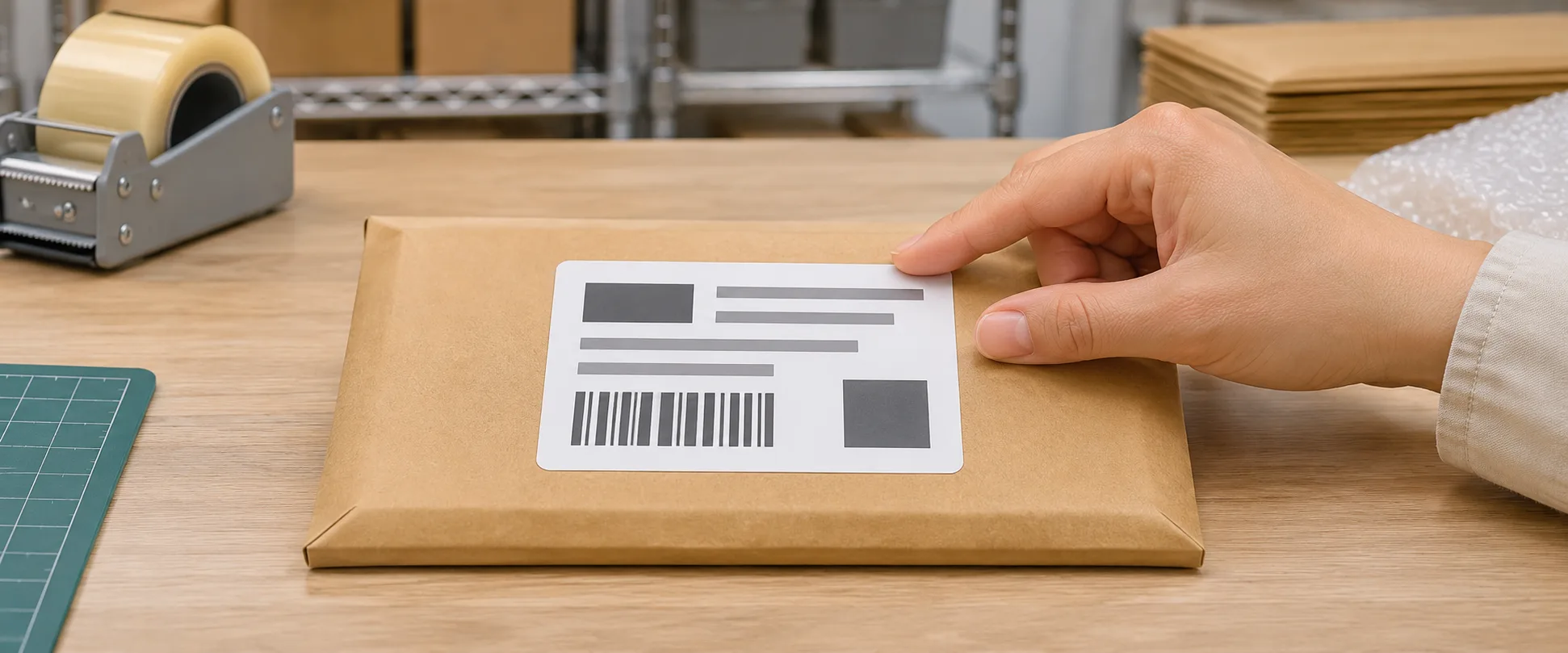
A representative sample gives the purchasing team evidence for the complete industrial labelling process. Use the intended printer, label stock, ribbon and label design where available. Include the smallest text or barcode that must be read, as well as the variable information required in normal use. Record the equipment and materials used so that the result can be repeated.
Print samples and apply them to representative items. Check placement, readability and scanning using the equipment and acceptance criteria agreed for the job. Then expose the samples to the handling conditions the label must withstand and inspect them again. Keep a record of both the successful and unsuccessful samples, along with the conditions of the check.
If a check fails, identify which requirement failed before changing the specification. For example, a label in the wrong position calls for a review of the application setup and label presentation; unreadable information calls for a review of the printed sample and the reading requirement. Consult the equipment and material suppliers with the failed sample and the settings used rather than treating one observation as proof of a particular cause.
Change one relevant condition at a time and repeat the same check. If the result still fails, review whether the proposed printer, ribbon, label and application method match the documented requirement. Do not place a large order based solely on a catalogue description or a successful sample made with different materials. Approve the configuration only after the responsible users accept the results.
Data and Evidence
The available product descriptions support a shortlist, while the buyer's own sample check establishes whether a proposed combination meets the job. The table separates the published scope from the decision that remains to be checked.
| Evidence | Published scope | Buyer verification |
|---|---|---|
| COLORFULTTR standard labelling machine | Standard applications on flat surfaces or simpler packaging lines | Confirm label width, package and required line output with the supplier. |
| COLORFULTTR standard wax-resin hybrid ribbon | Various self-adhesive labels; greater scratch resistance than wax-based ribbons | Confirm printer and label compatibility and test the actual printed sample. |
| ID Technology TTO examples | Date codes and barcodes marked on packages | Ask the equipment supplier whether the proposed film and line configuration are supported. |
For a useful enquiry, send a sample of the item and label, the artwork, the printer details if already owned, the required output and the agreed acceptance checks. Ask for a written configuration and identify which claims are catalogue statements and which have been verified in your trial. Retain that record for repeat orders and future format changes.
Frequently Asked Questions
How should I choose a ribbon for self-adhesive labels?
Start with a ribbon specified for the label and printer, then test printed samples against your own handling requirements.
Can a standard labelling machine handle a flat package?
COLORFULTTR describes its standard machine as suitable for standard applications on flat surfaces or simpler packaging lines; confirm your label width and line requirements before ordering.
Should I choose an applicator or a printer for industrial labelling?
Choose according to the work required: an applicator applies labels, while a printer produces the variable information. Check whether your process needs both functions.
Related Products & Guides
Recommended products for this industry

4-inch lightweight industrial printer
Industrial printers are engineered for lightweight construction, straightforward…
View details
Acid and Alkali Resistant Label
Chemical-resistant label construction for acid baths, paint-stripping solutions, alkali…
View details
Aluminum Foil High-Temperature Label
Coated aluminum label for metal processing, heat treatment and high-temperature part…
View details
Anti-Static High-Temperature Polyimide Label
Anti-static polyimide label for ESD-sensitive electronics assembly and high-temperature…
View detailsNeed the right ribbon for your label application?
Share the label material, printer and operating environment. Our team will recommend a tested combination.
