
- Original TTR manufacturer since 2013
- Automated coating and slitting
- IQC / IPQC / OQC control
- ANSI barcode grade testing
- -20°C to 120°C environmental testing
- Batch-level traceability
- ANSI barcode grade
- Batch traceability
- RoHS / REACH compliance
- SGS and MSDS documents on request
In packaging, TTO stands for thermal transfer overprinting, and a thermal transfer overprinter is the machine that performs it. Buyers should match the printer to their packaging equipment, movement mode and print area, then confirm ribbon compatibility with their film. Run a sample on the intended line and inspect the actual code before choosing a supply.
Key Takeaways
- TTO uses a heated printhead and a thermal transfer ribbon to put ink on flexible film.
- TTO systems can print variable information, including codes, text and graphics.
- Printer selection depends on the packaging machine and whether the line uses continuous or intermittent motion.
- Ribbon choice should be checked against the printer and the intended packaging material.
What Does TTO Mean for Your Packaging Line?
Thermal transfer overprinting (TTO) is a coding process that uses heat and a ribbon to transfer ink onto flexible packaging film. The equipment is called a thermal transfer overprinter. The printhead heats the ribbon coating so ink transfers to the film, as described by PT Printpack Technology.
For a buyer, the practical distinction is between the printer and its consumable: the printer integrates with the packaging equipment, while the ribbon supplies the ink for each print. Hitachi describes TTO printing of variable data, barcodes, text, graphics and logos on flexible films and labels. Start with the information that must appear on your pack and its available space, then check the printer's specified print area against that layout.

How Should You Choose a TTO Printer and Ribbon?
A TTO printer must fit the packaging equipment and the intended printing mode. Hitachi describes continuous and intermittent models for integration with equipment such as labelers, tray sealers and flow wrappers; ID Technology also describes systems for vertical and horizontal form-fill-seal equipment. Identify your machine and its motion before comparing models, and ask the printer supplier to confirm the proposed integration.
Compare the print area needed for your actual design, not just the printer name. A date and lot code may need a different layout from a larger design containing a barcode or logo. Check the chosen model's print width and the layout it can accommodate, and confirm that the equipment supports the content you need.
For the ribbon, provide the printer model, its ribbon requirements and the exact film or label to the ribbon supplier. Graphic Controls lists near-edge TTO ribbons in wax/resin black, resin white and resin silver; these are examples of available choices, not evidence that each suits your equipment or film. Ask for a compatible candidate and check the printed colour and appearance on your own material.
Roll length and ribbon-saving features also affect the comparison. ID Technology describes long ribbon rolls and ribbon-saving technology on its TTO systems. Check the roll sizes and features supported by your particular printer, then weigh a longer compatible roll against your changeover needs rather than assuming every machine accepts it.

How Can You Check a TTO Choice Before Ordering?
A sample printed on the intended film with the intended printer gives the buyer a basis for judging the proposed combination. Prepare the actual packaging material, the intended code or artwork, and a ribbon candidate whose compatibility has been confirmed for the printer.
- Confirm the packaging machine, printer model, operating mode and available print area with the equipment supplier.
- Give the ribbon supplier the printer requirements, material and desired print content, and request a candidate suitable for that combination.
- Print the intended layout on the actual material using the production equipment, then inspect the text and code and check that the print fits the available area.
- If the sample does not meet your requirements, record what failed and review the printer setup, material and ribbon selection with the relevant supplier before testing another candidate.
Keep the accepted sample and its printer, film and ribbon details with the purchasing specification. This makes the next order easier to compare with the combination you evaluated; a catalogue description alone does not establish the result on your line.
Data and Evidence
The following source descriptions help define what to verify for a particular TTO purchase; they describe the named suppliers' offerings rather than every printer or ribbon.
| Decision | Source evidence | Buyer verification |
|---|---|---|
| Equipment integration | Hitachi describes continuous and intermittent models and integration with labelers, tray sealers and flow wrappers. | Confirm the machine type, motion and integration with the printer supplier. |
| Print content | Hitachi describes variable data, barcodes, text, graphics and logos on flexible films and labels. | Check the intended layout and print area on the selected model. |
| Ribbon options | Graphic Controls lists near-edge TTO ribbons in wax/resin black, resin white and resin silver. | Confirm printer compatibility and evaluate a sample on the actual material. |
| Roll handling | ID Technology describes long ribbon roll lengths and ribbon-saving technology on its systems. | Check supported roll sizes and features for the selected printer. |
Frequently Asked Questions
What does TTO mean on a packaging printer?
TTO means thermal transfer overprinting; the machine is called a thermal transfer overprinter. It uses a heated printhead and ribbon to transfer ink onto flexible packaging film.
Can a TTO printer print variable batch information on packaging film?
Yes. TTO systems can print variable data such as batch codes, as well as barcodes and graphics, on flexible packaging film. Check that the chosen printer supports the information and print area required for your layout.
How should I compare ribbon lengths for a TTO packaging line?
Compare compatible roll lengths alongside your expected changeover needs. ID Technology describes long ribbon rolls and ribbon-saving features on its systems; confirm which features and roll sizes your particular printer accepts.
Recommended products for this industry

Full-colour card printer ribbon YMCKO
Compatible with Seaory S20/S21/S22/S22K card printers, supporting high-definition…
View details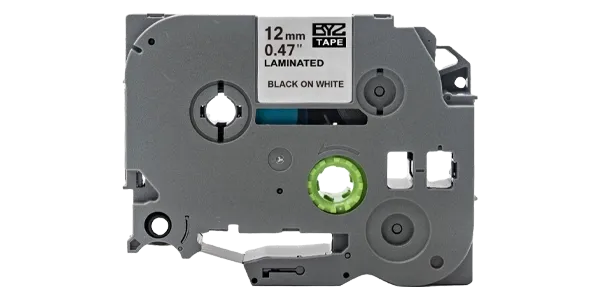
Brother Compatible Label Ribbons (TZe Series)
This Brother-compatible label ribbon (TZe series) is manufactured using high-quality…
View details
CL-Z364 Thermal Transfer Ribbon for Wash-Care Labels
An economical black thermal transfer ribbon for wash-care label printing on flat-head desktop or industrial barcode printers at ≤4 ips (inches per second). The documented materials include satin ribbon, nylon-coated ribbon and thermoplastic polyurethane (TPU). Select it against your actual label material, printer and washing process: print quality and image durability can vary with the printer and printing substrate.
View details
Fully resin-based ribbon
Resin-based ribbons offer superior scratch resistance, high-temperature tolerance…
View detailsNeed the right ribbon for your label application?
Share the label material, printer and operating environment. Our team will recommend a tested combination.
