
Industry 4.0 Solutions Explained: What the Term Means for Labeling and Print Operations
Request a solution
- Original TTR manufacturer since 2013
- Automated coating and slitting
- IQC / IPQC / OQC control
- ANSI barcode grade testing
- -20°C to 120°C environmental testing
- Batch-level traceability
- ANSI barcode grade
- Batch traceability
- RoHS / REACH compliance
- SGS and MSDS documents on request
Key Takeaways
- An Industry 4.0 solution is an applied package: connected machines, data shared in real time, and processes that act on that data.
- IIoT is the connectivity layer inside an Industry 4.0 solution, not a separate competing category.
- Automation without data exchange is not an Industry 4.0 solution; a coder that prints dates but reports nothing still leaves a data gap.
- Physical coding stays physical: date and batch numbers on packaging films are printed by thermal transfer ribbons matched to the printhead type.
- An Industry 4.0 rating on a line or printer does not decide ribbon choice; printhead type, label material, and durability requirements do.
What Counts as an Industry 4.0 Solution
An Industry 4.0 solution is a package of connected technologies that lets production equipment collect data, share it across systems, and trigger actions with limited manual handling. The phrase covers the applied whole: machines and sensors that report their status, software that combines those signals, and workflows that change because of what the data shows. Common building blocks include industrial connectivity (the IIoT layer), real-time monitoring of line equipment, analysis of production data, and maintenance scheduled from machine condition rather than from the calendar.
In printing and packaging operations, the concept lands on the coding and labeling steps. Thermal transfer overprinters (TTO) print expiry dates and batch numbers onto packaging films at production speed, and those codes are exactly the machine-readable data a connected line consumes: TTO ribbon catalogs list food and beverage date coding, pharmaceutical blister packaging, flexible film coding, and batch and lot number printing among typical applications. Flat head thermal transfer printers produce the identification labels that carry data through the plant, and wax-resin hybrid ribbons list manufacturing WIP labels and asset tracking among their typical uses.
So when a vendor offers an "Industry 4.0 solution" for your line, the concrete question is what data moves where: which machines report, which system receives the data, and which decision follows from it.
How Industry 4.0 Solutions Differ from IIoT and Automation
Industry 4.0 solutions, IIoT, automation, and smart manufacturing describe different layers of the same factory, and treating the words as interchangeable hides what a supplier is actually selling. The table below separates the four terms as they are normally used in plant engineering and supplier proposals.
| Term | What it refers to | Relation to an Industry 4.0 solution |
|---|---|---|
| Automation | Machines carrying out programmed actions on their own | A component; it can run with no data leaving the machine |
| IIoT | The network of connected industrial devices and the data they stream | The connectivity layer inside the solution |
| Industry 4.0 solution | The applied package: connected devices, data use, and changed processes | The umbrella offer a buyer evaluates |
| Smart factory | A plant where these systems work together across lines | The site-level outcome the solution aims at |
The distinction matters during evaluation. An automated date coder that prints without reporting anything to a line system is automation, not an Industry 4.0 solution; the gap surfaces the first time a quality hold must trace which batch ran with which ribbon lot. In the other direction, a supplier may market IIoT connectivity as a complete solution while the workflow that should act on the data is missing. When you review a proposal, ask which of the four layers above it actually covers before comparing prices.
Where the Industry 4.0 Term Comes From
The term comes from "Industrie 4.0", a German industry-modernization program that presented networked, data-driven manufacturing as the fourth industrial revolution. The numbering counts three earlier shifts — mechanical production, electrified mass production, and computerized automation — and positions connected, self-organizing production as the fourth step. From that program the vocabulary spread into vendor marketing worldwide, which is why the phrase now appears on offerings from plant software down to single machines.
That spread is also why the label alone carries little technical weight. It names an approach rather than a measurable specification, so two suppliers describing their work with the same words may offer very different scopes. Treat "Industry 4.0 solution" as an opening claim, then ask for the architecture behind it: which devices connect, which data they send, and which process changes as a result. For a print operation, that means asking how the coding step reports into your systems — which batches and print events are visible, and to whom.
What an Industry 4.0 Label Does Not Tell You About Ribbons
A printer or production line described as Industry 4.0 ready still needs ribbons selected by printhead type, label facestock, and the environment the print must survive. Connectivity changes how print data reaches the machine, not how ink bonds to the material. Durability still comes from the ribbon class: wax ribbons are the economical choice for print density on paper labels such as shipping marks, wax-resin hybrids add balanced resistance to moderate scratching and moisture for uses like manufacturing WIP labels and asset tracking, and full resin ribbons handle permanent identification on synthetic materials where scratching, chemicals, heat, or outdoor exposure are in play.
Compatibility likewise stays a hardware question. Flat head thermal transfer printers — Zebra ZT, ZD, GK and GX families, SATO CL, CT, WS and GL families, Honeywell PM, PC and PD series, TSC TTP, MA and MH series among others — use flat head ribbon classes, while near-edge coders such as Markem-Imaje SmartDate, Videojet DataFlex, Domino V-series, Linx TT-series, ICE units, and Zebra ZE500 print engines use near-edge TTO ribbons built for that printhead geometry. The catalogs treat these as separate ribbon families, so the automation level of the line gives you no shortcut. Code quality follows the same logic: a TTO printhead resolves 12 printing dots per mm, so scannability depends on the printhead and the ink working together, not on data connectivity.
Before ordering ribbons for any line, automated or not, work through four checks:
- Identify the printhead type — flat head or near edge (TTO) — from the printer or coder model.
- Match the ribbon class to the label facestock and to the exposure the print must survive.
- Confirm the roll format the printer model requires: width, core, and ink-side orientation.
- Trial-print on your own substrate and scan the codes before moving the full volume across.
Data and Evidence
The table below collects the catalog facts used in this article, together with the conditions under which each applies, so you can check them against supplier technical data before ordering.
| Ribbon family | Catalog description | Listed typical applications | What to verify before ordering |
|---|---|---|---|
| Wax | Most economical thermal transfer option; high sensitivity and print density on paper labels | Logistics and shipping labels; warehouse inventory labels; general purpose barcode labels | Facestock is paper; exposure is indoor and light |
| Wax-resin hybrid | Balanced print quality and durability; moderate scratch and moisture resistance | Manufacturing WIP labels; asset tracking; pharmaceutical product labels | Handling includes rubbing or moisture; facestock is paper or light synthetic |
| Resin | Resists scratching, chemicals, high temperatures, and outdoor exposure; permanent identification on synthetic materials | Electronics PCB and component marking; outdoor asset tags; permanent product identification | Facestock is synthetic; list the chemicals and temperatures involved |
| TTO near-edge | Formulated for near-edge print heads in flexible packaging date coding; high-speed intermittent and continuous printing | Food and beverage date coding; pharmaceutical blister packaging; batch and lot number printing | The coder is a near-edge (TTO) type |
Two conditions deserve emphasis. Food-contact compliance is an option within TTO ribbon ranges rather than a property of every formulation, so state the requirement explicitly when requesting specifications. Printhead resolution sets the ceiling on code detail, so a legibility problem that appears after a ribbon change is a printhead-and-ink question to settle with sample prints, not a connectivity fault.
Your next step: list every printer and coder on the line with its printhead type, map each to a ribbon class and facestock, and use that table when requesting quotes or samples. Sources for the table: COLORFULTTR wax and wax-resin product catalog; COLORFULTTR resin, TTO and color ribbon product catalog (category descriptions and printer compatibility reference).
Frequently Asked Questions
Is IIoT the same thing as an Industry 4.0 solution?
No. IIoT is the connected-device layer that streams data from machines; an Industry 4.0 solution is the applied package that also covers what happens with that data — monitoring, analysis, and processes that change as a result. A supplier selling only connectivity is selling one layer of the whole.
Does an Industry 4.0-ready production line need special thermal transfer ribbons?
No. Automation level does not change how ribbon ink bonds to a facestock. Ribbon choice still follows printhead type, label material, and the exposures the print must survive: wax for economical paper labels, wax-resin hybrid for moderate scratch and moisture as in WIP labels, full resin for permanent identification on synthetics.
Can I use a flat head ribbon in a TTO near-edge coder on my packaging line?
The catalogs treat these as separate ribbon families. Near-edge coders such as Markem-Imaje SmartDate, Videojet DataFlex, Domino V-series, Linx TT-series, ICE units, and Zebra ZE500 print engines use near-edge TTO ribbons, while flat head printers such as Zebra ZT and ZD, SATO CL, CT and WS, Honeywell PM, PC and PD, and TSC TTP, MA and MH use flat head ribbon classes. Identify the printhead type before ordering.
What should we check when switching ribbon suppliers on an automated line?
Check the printhead type, match the ribbon class to your facestock and exposure conditions, and confirm the roll format — width, core, and ink-side orientation — required by the printer model. Then trial-print on your own substrate and scan the codes before committing the full volume, because scannability depends on the printhead and the ink working together.
Where do date and batch codes fit in an Industry 4.0 data flow?
They are the physical data carriers. TTO ribbons print expiry dates and batch or lot numbers on packaging films, and those codes are what downstream scanners and traceability systems read. Food and beverage date coding, pharmaceutical blister packaging, flexible film coding, and batch and lot number printing are listed among typical TTO applications.
Recommended products for this industry

3-inch mobile printer
These lightweight and cost-effective 3-inch mobile printers enable accurate receipt and…
View details
4-inch lightweight industrial printer
Industrial printers are engineered for lightweight construction, straightforward…
View details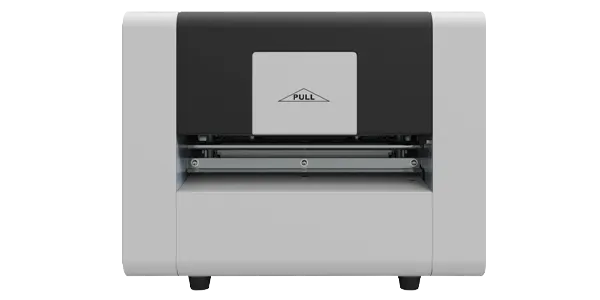
AL05-A Temporary Number Plate Printer
It can enhance industry productivity, optimise supply chain management, reduce…
View details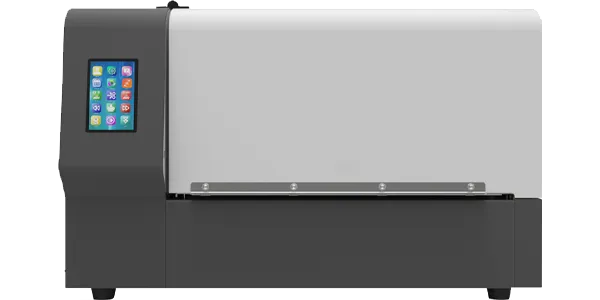
AL10-D Dual-Colour Label Printer
It can enhance industry productivity, optimise supply chain management, reduce…
View detailsNeed the right ribbon for your label application?
Share the label material, printer and operating environment. Our team will recommend a tested combination.
